
NetSuite–Microsoft 365 Integration
Connect Microsoft 365 with NetSuite so approvals, documents, and operational requests move from collaboration tools into the ERP system responsible for financial records and governance. Fixed-scope NetSuite–Microsoft 365 integration for operations, finance, and leadership teams.
Start Integration
When NetSuite–Microsoft 365 Integration Matters
A Microsoft 365–NetSuite integration becomes essential when operational work takes place in Teams, SharePoint, or Outlook while the ERP system still carries responsibility for financial and legal records.
Managers confirm decisions inside chat threads or meetings. Later someone manually reflects that decision in NetSuite without a clear link to the original approval.
Contracts, vendor documentation, and operational notes remain stored in collaboration environments. The ERP record exists separately from the files that explain the decision.
Teams capture operational requests in Excel sheets or Microsoft Forms. Finance or operations staff recreate the information inside NetSuite as official records.
Updates appear in documents, emails, or spreadsheets first. ERP data changes later. Teams spend time verifying which version should be treated as final.
When organizations review a decision path, evidence exists across email threads, Teams discussions, and SharePoint folders rather than a single structured record.
Staff repeat the same data entry across systems and search for attachments that belong to transactions already recorded in ERP.
Connect Microsoft collaboration tools with ERP governance
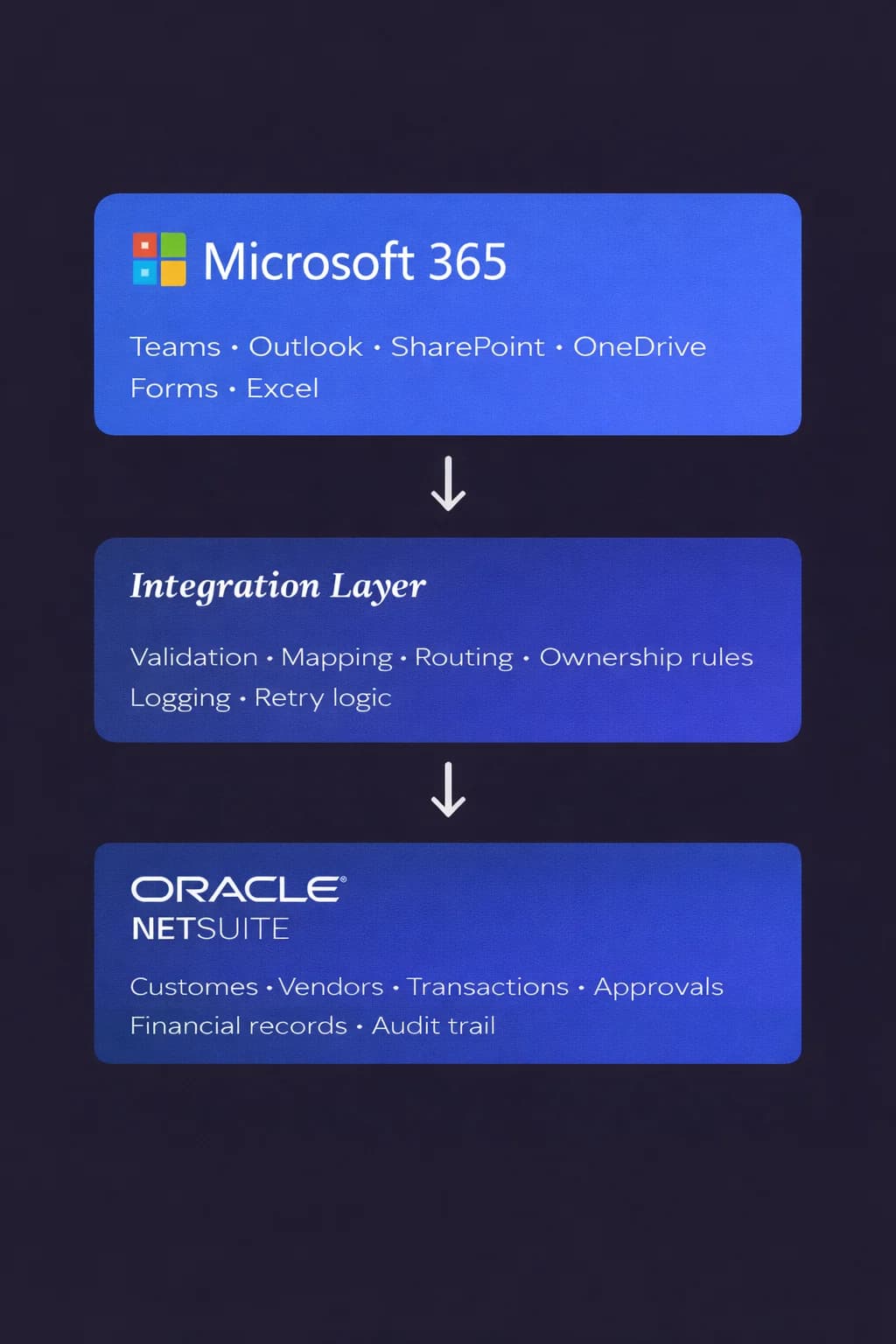
Sphere delivers a NetSuite–Microsoft 365 integration that links collaboration activity with structured ERP workflows.
Requests initiated in Teams, Outlook, or SharePoint can move through defined validation and routing rules before creating or updating NetSuite records. Teams keep working in familiar Microsoft tools while NetSuite maintains authority over entities, transactions, approvals, and financial outcomes.
The integration turns collaboration signals into accountable operational records.
Stop stitching systems manually — integrate NetSuite with clarity and ownership.
NetSuite and Microsoft 365
Structured collaboration
Requests created in Microsoft tools can generate validated ERP records without manual recreation.
Approvals tied to ERP transactions
Decisions made during collaboration remain linked to the final operational or financial commitment.
Connected documents
Contracts, specifications, and supporting files stay associated with the ERP entities or transactions they affect.
Clear ownership
Every step has defined responsibility, preventing confusion about who initiates, approves, or records a decision.
Leadership visibility
Executives see reports that reflect the real activity happening across teams.
How NetSuite and Microsoft 365 stay aligned
Sphere designs NetSuite–Microsoft 365 integrations for organizations where collaboration platforms influence operational commitments and financial decisions.
The work focuses on how collaboration signals become structured ERP actions. That includes defining when Teams or Outlook activity creates requests, how documents connect to records, how approvals are validated, and which roles control final decisions.
The result is an integration that connects fast-moving collaboration environments with the governance structure maintained inside NetSuite.
How this integration is delivered

Phase 1 — Integration Assessment
2–3 weeks. Fixed price. Defines scope, flows, and complexity tier.

Phase 2 — Implementation
Fixed-price range based on complexity. Accelerator-based delivery.

Phase 3 — Managed Integration
Monthly support, optimization, and new workflows.
You buy the integration. The assessment defines how it will be built and priced.
Start IntegrationHear from Our Clients

TOP AI CODE Generation COMPANY UNITED STATES 2025

TOP AI TEXT Generation COMPANY florida 2025

TOP APP development COMPANY manufacturing 2025

TOP artificial intelligence COMPANY united states 2025

TOP chatbot COMPANY united states 2025

TOP recommendation systems COMPANY united states 2025
Sphere in Numbers
We understand that actions speak louder than words and numbers but here are some key facts about us.
Get the Right Talent now0
Years of Excellence
0+
Projects Delivered
0
Countries
Globally diverse, community-focused
0+
Clients
top 20 average 8+ years
Clear scope. Predictable cost. No open-ended builds.


Flexible, fast, and focused — Sphere solves your tech and business challenges as you scale.
Luke Suneja
Client Partner
Get Started with NetSuite – Microsoft 365 Integration
Please provide your contact details, and our team will get back to you promptly.